

What are Webhooks?
A webhook is a way for one app to automatically send data to another app when something happens. Instead of checking for updates all the time, the receiving app gives a special URL, and the sending app sends information to that URL as soon as the event occurs. This helps automate tasks, keep data updated in real-time, and connect different systems without manual work.Benefits of Using Webhooks in Vitxi Converse
The following are the benefits of using webhooks on Vitxi Converse:- Receive instant alerts on message failures, subscription expiries, and account issues.
- Trigger automated workflows based on real-time message and account events.
- Monitor platform activity with actionable insights on usage and performance.
- Integrate seamlessly with CRMs, marketing tools, and internal systems.
How to use Webhooks on Converse:
- Log into your Vitxi Converse account, and then go Developer section under the More section.
-
Click on the third tab to access the “Webhooks” section.
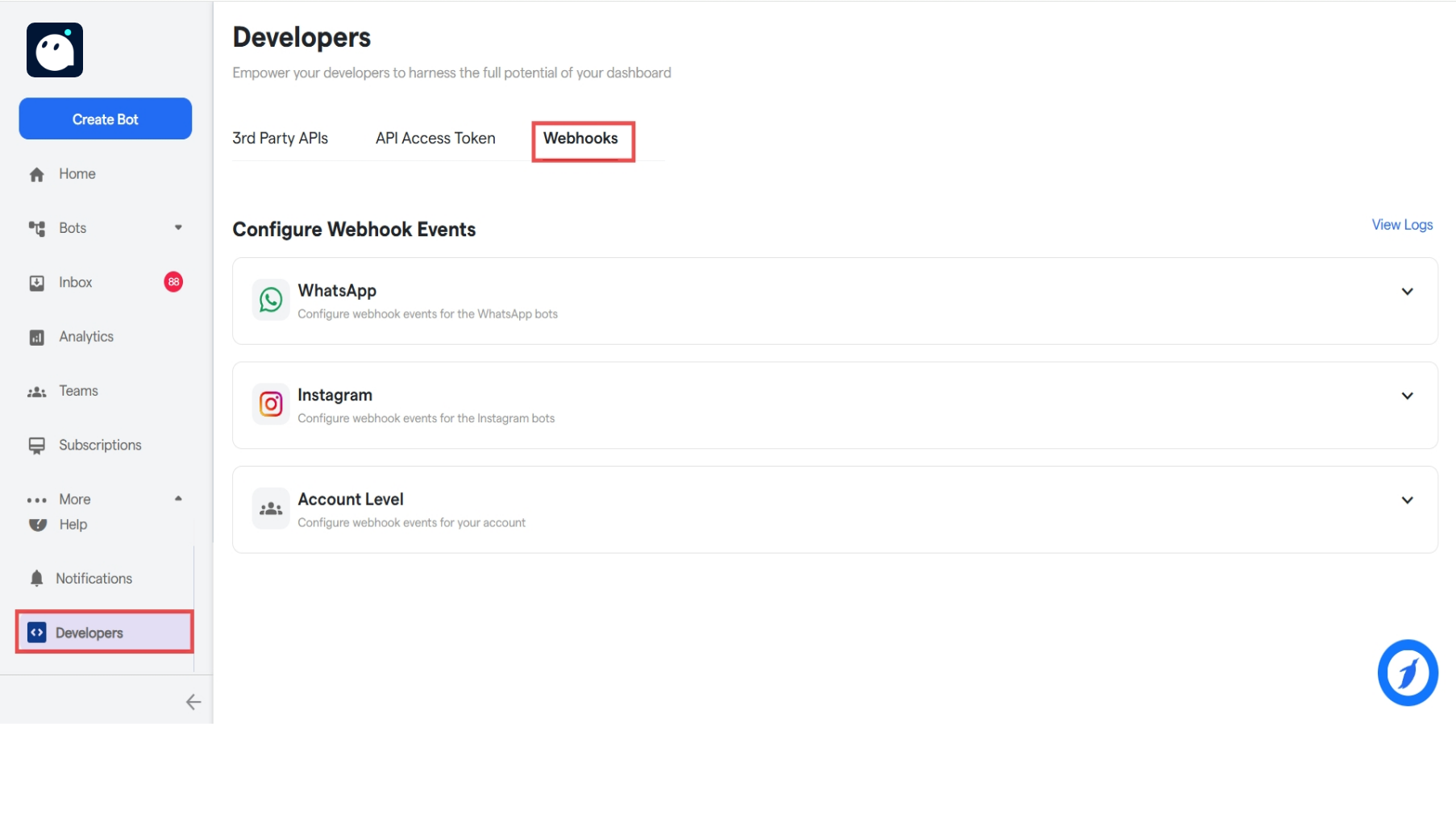
- Here, the user has the options to configure webhooks for 3 types, WhatsApp, Instagram and Account Level.
- Click on a card(WhatsApp, Instagram or Account Level) to configure the section.
-
Click on “Subscribe Webhooks”.
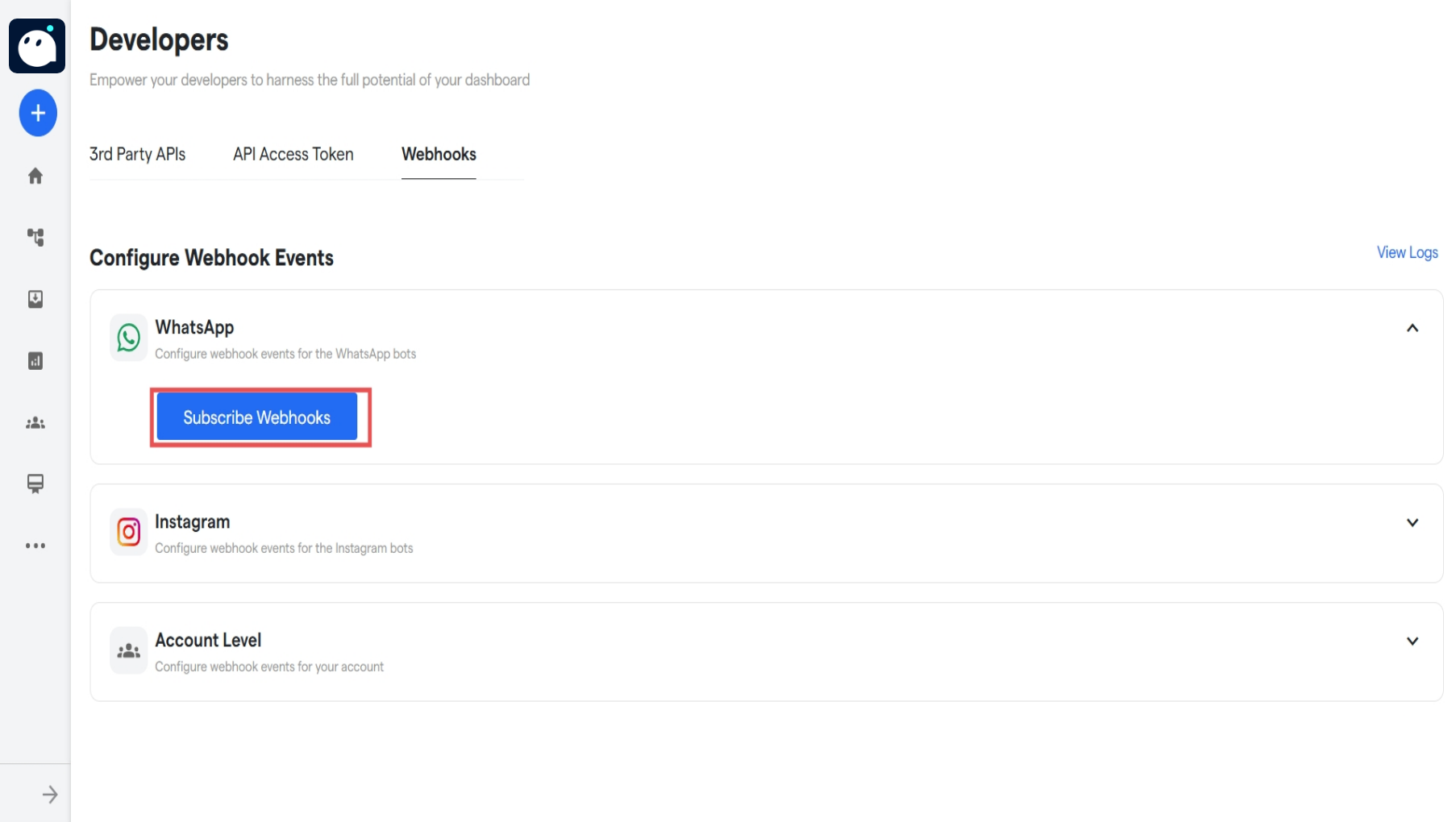
-
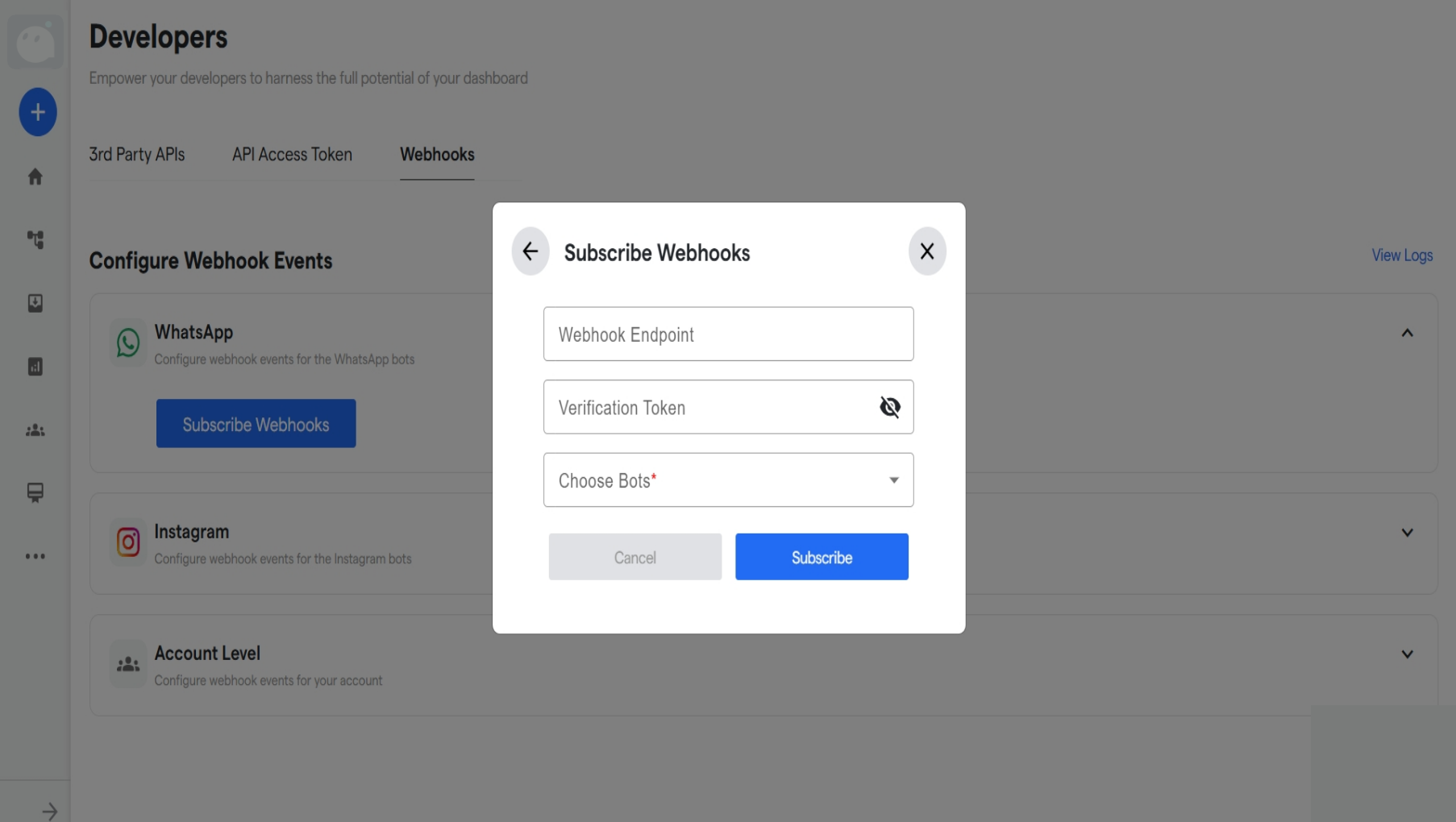
A small popup window will open up. Enter your Webhook Endpoint, and verification key. Then, select the bots that you want the webhooks to be triggered for.
- Once selected, the webhooks will be configured. Now, we can go into the specifics of each and select the ones to turn on.
WhatsApp Webhook’s
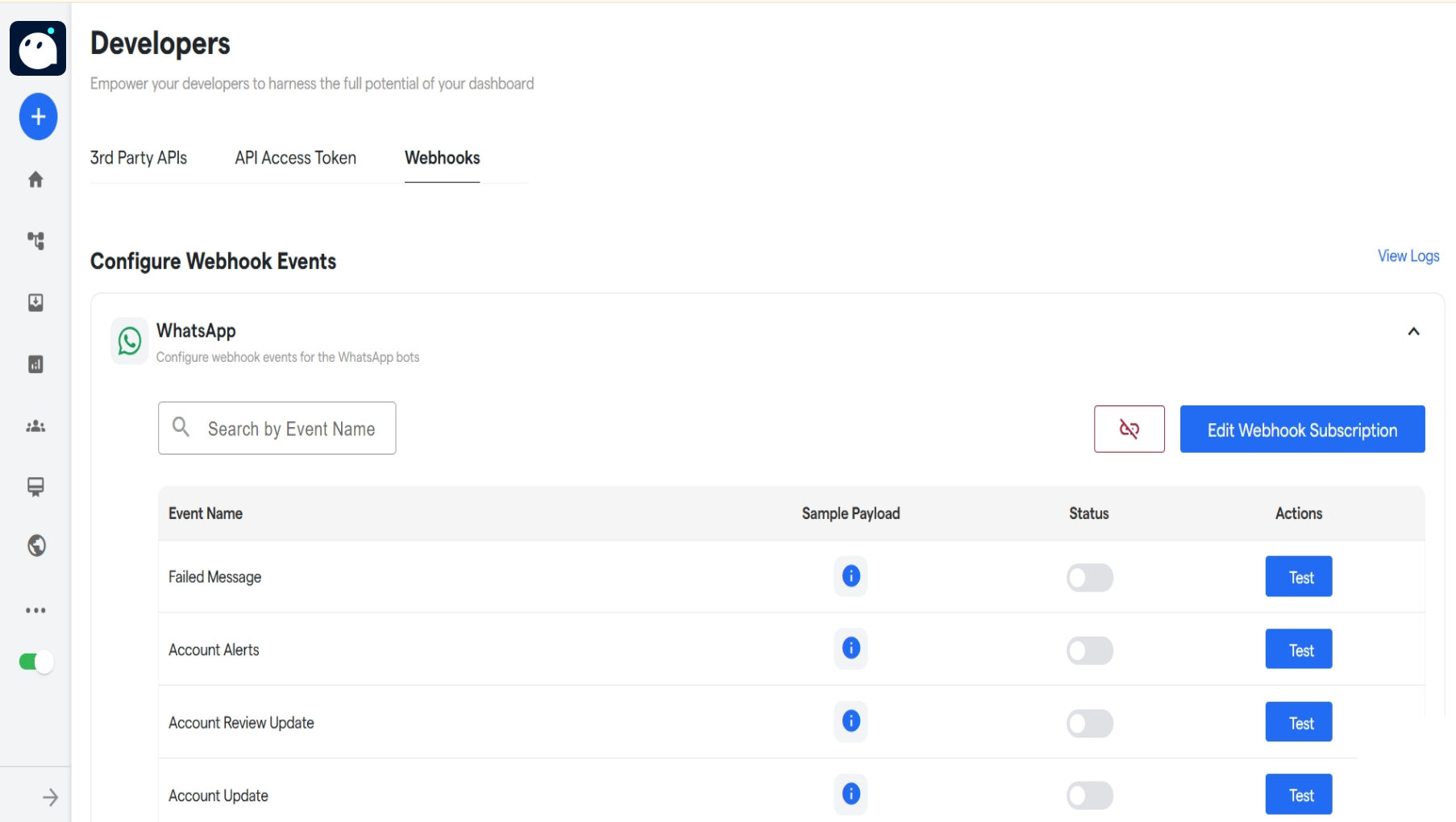
- There are many webhooks that have been created for WhatsApp. Some of them are as follows:
- To edit any webhook, click on the “Edit Webhook Subscription” button.
- To disconnect the webhook, turn off the status of the webhook. To disconnect all the webhooks status, click on the “Unsubscribe Webhooks” button and confirm the unhook process.
Instagram Webhook
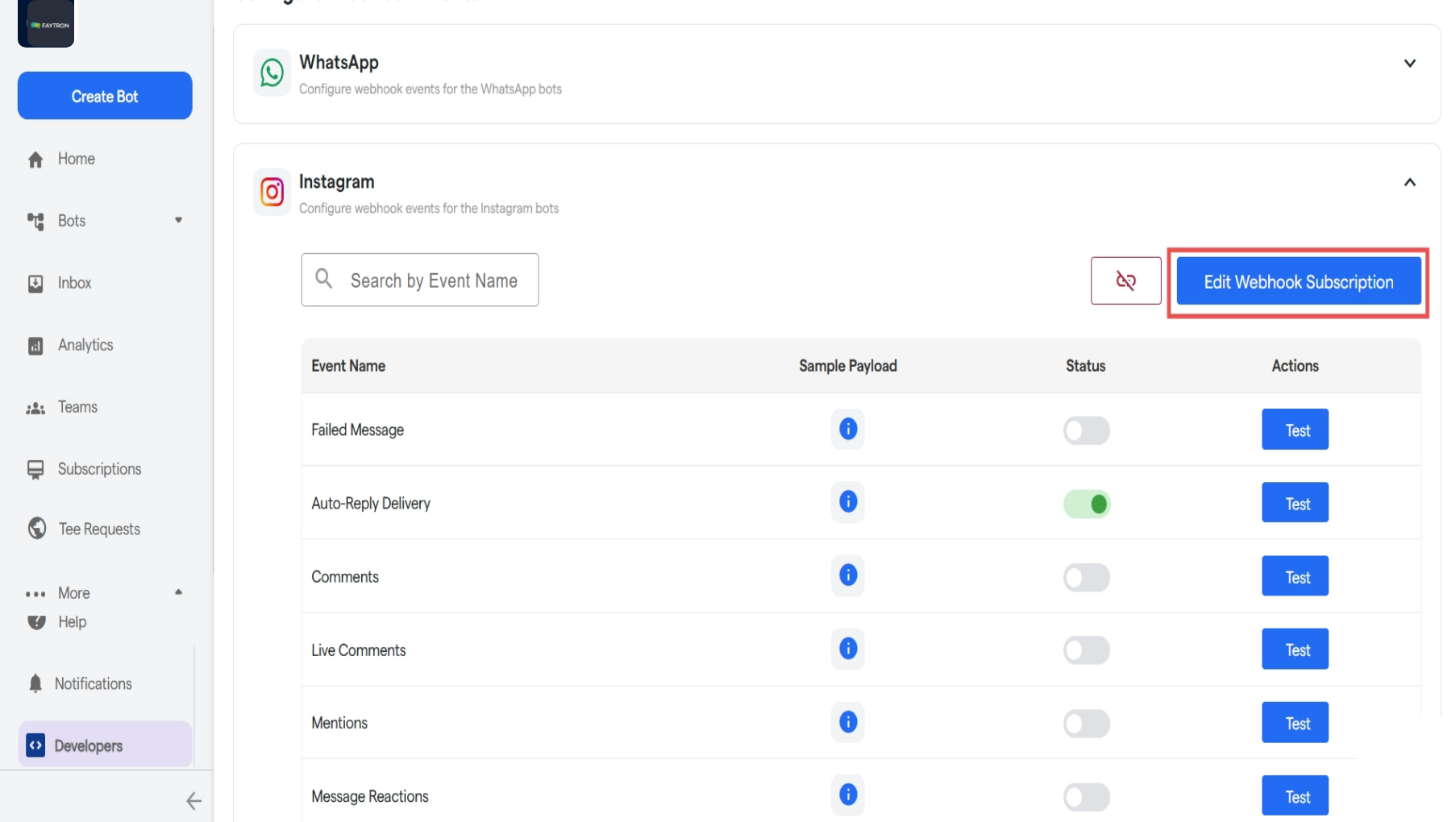
- Instagram webhooks work similar in manner to WhatsApp Webhooks.
- To edit any webhook subscripton, click on the “Edit Webhook Subscription” button.
-
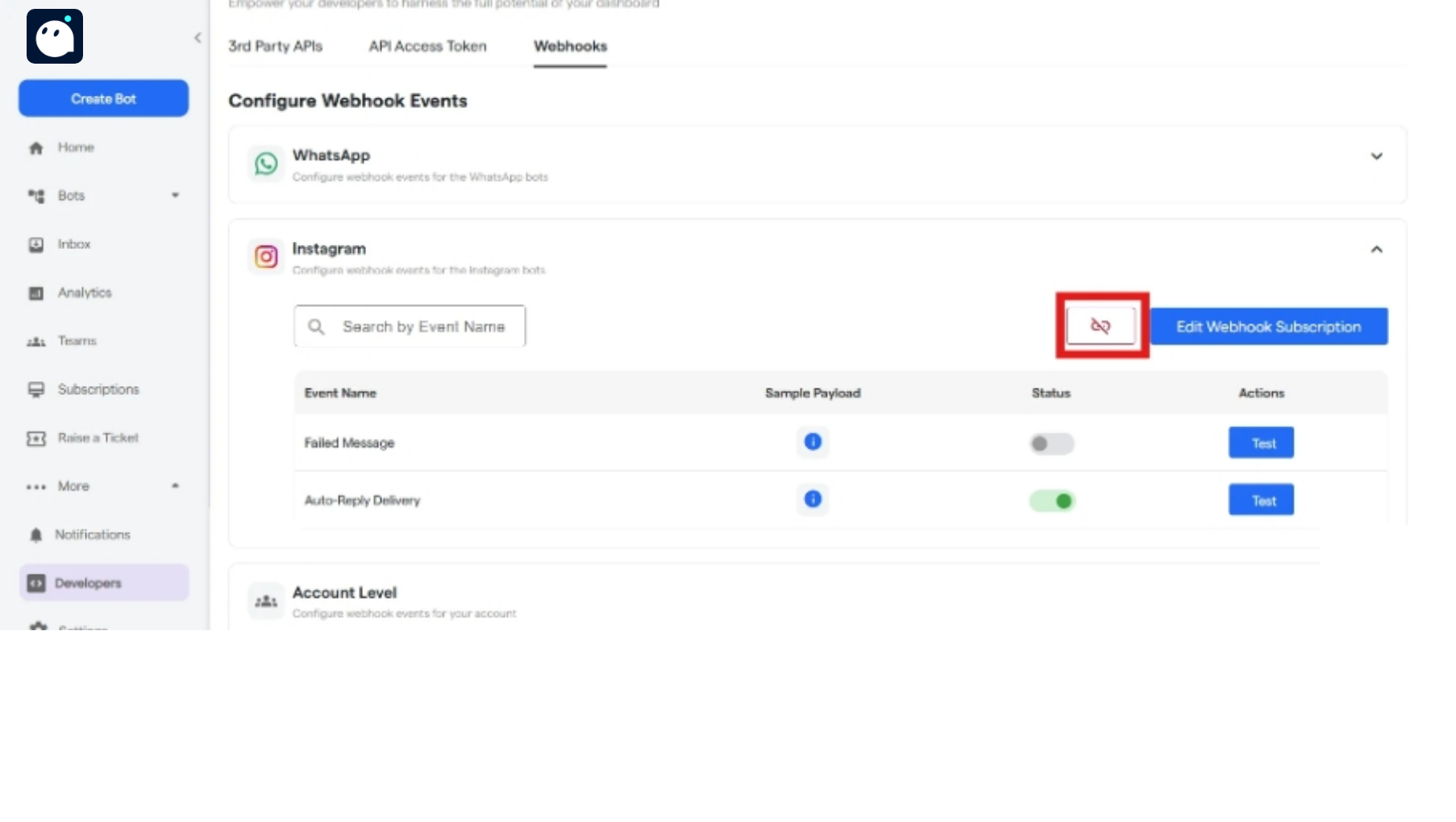
To disconnect the webhook, turn off the status of the webhook. To disconnect all the webhooks status, click on the “Unsubscribe Webhooks” button and confirm the unhook process.
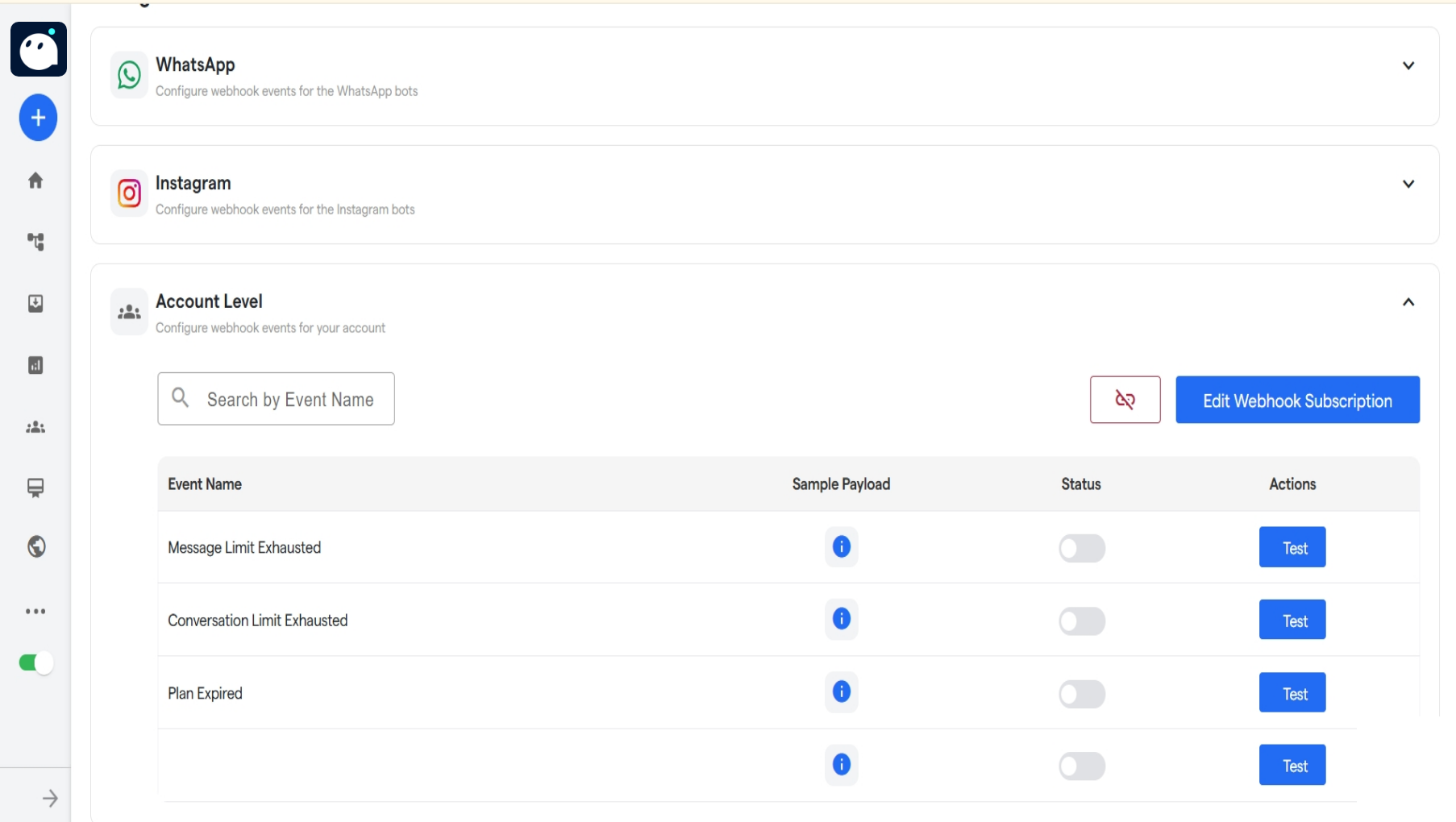
Account Level Webhooks
FAQ’s
These are the commonly asked questions regarding Webhooks:What are webhooks in Converse?
What are webhooks in Converse?
Webhooks are automated callbacks that notify your system in real-time when specific events occur on Converse, such as message delivery failures or subscription changes.
Which platform do Converse webhooks support?
Which platform do Converse webhooks support?
Webhooks are supported for WhatsApp, Instagram, and application-level events within the Converse ecosystem.
What kinds of events can trigger a webhook?
What kinds of events can trigger a webhook?
Events include failed message delivery, auto-reply execution, message limit exhaustion, conversation usage updates, subscription expiry, and account freezes.
Are webhooks real time?
Are webhooks real time?
Yes. Converse webhooks are designed to send event notifications immediately as they occur.
What format does the webhook payload use
What format does the webhook payload use
Webhook payloads are sent in JSON format, containing structured data about the triggered event.
How can I test if my webhook is working?
How can I test if my webhook is working?
Converse provides testing options within the webhook configuration section, allowing you to simulate event triggers and validate your endpoint setup.
What should I do if my webhook endpoint fails?
What should I do if my webhook endpoint fails?
Ensure your endpoint URL is active and accessible. Converse may retry failed deliveries, but persistent failures will require you to debug and update your configuration.