> ## Documentation Index
> Fetch the complete documentation index at: https://docs.converse.vitxi.ai/llms.txt
> Use this file to discover all available pages before exploring further.
# Chat Window- Transfer Chat to WhatsApp Functionality
> This page contains step by step tutorial on how to use transfer chat to WhatsApp functionality.
## **Chat Transfer to Whatsapp**
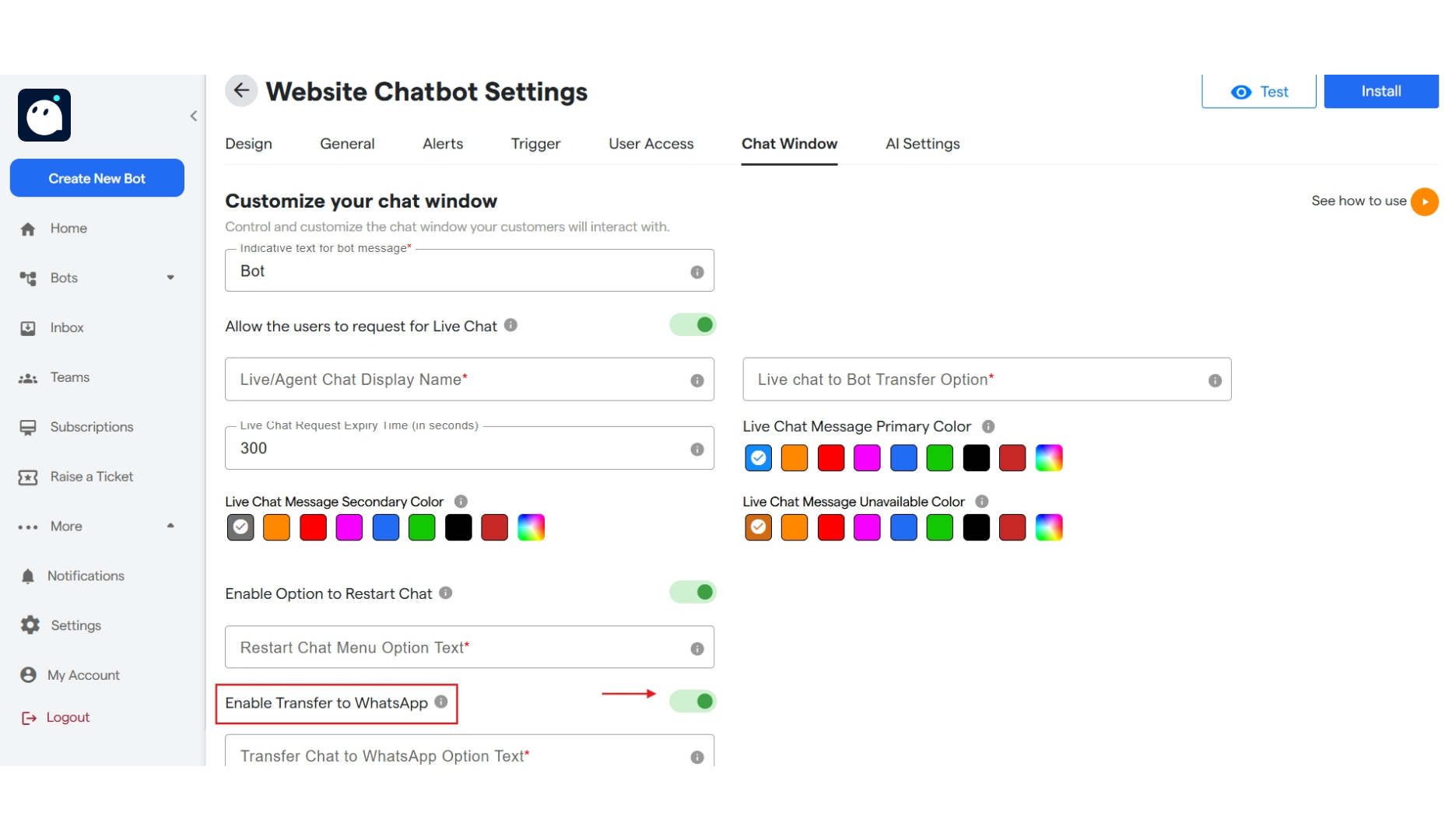
1. Click on bots and select a website bot.
2. Click on "Website Chatbot Settings".
3. Click on "Chat Window".
4. You can toggle ON/OFF "Enable Transfer to WhatsApp" button. Once switched ON, user can select to transfer chat to whatsapp.
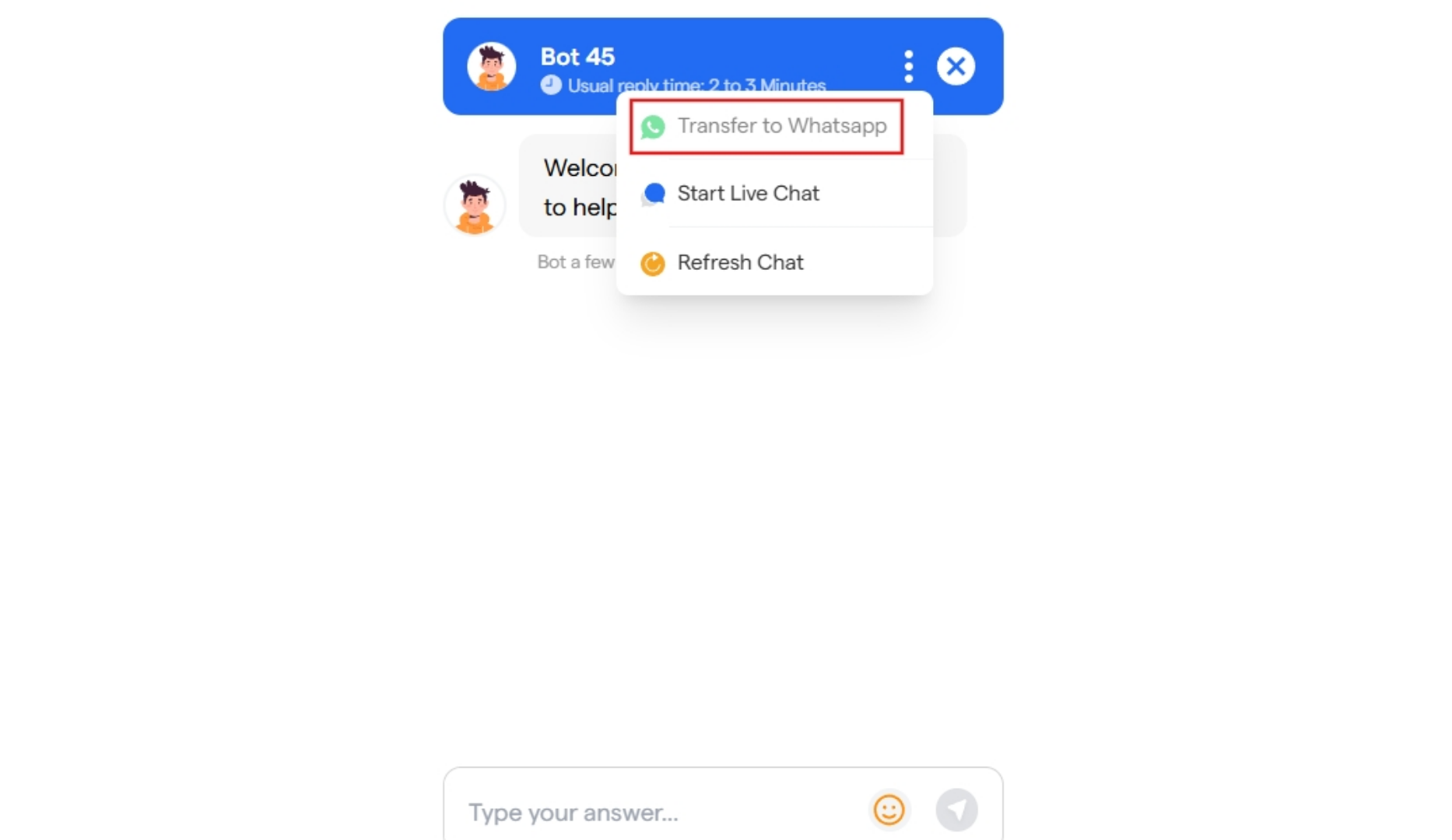
 5. Now while chatting with a Website bot, user can click on three dots and select "Transfer to Whatsapp". As shown below
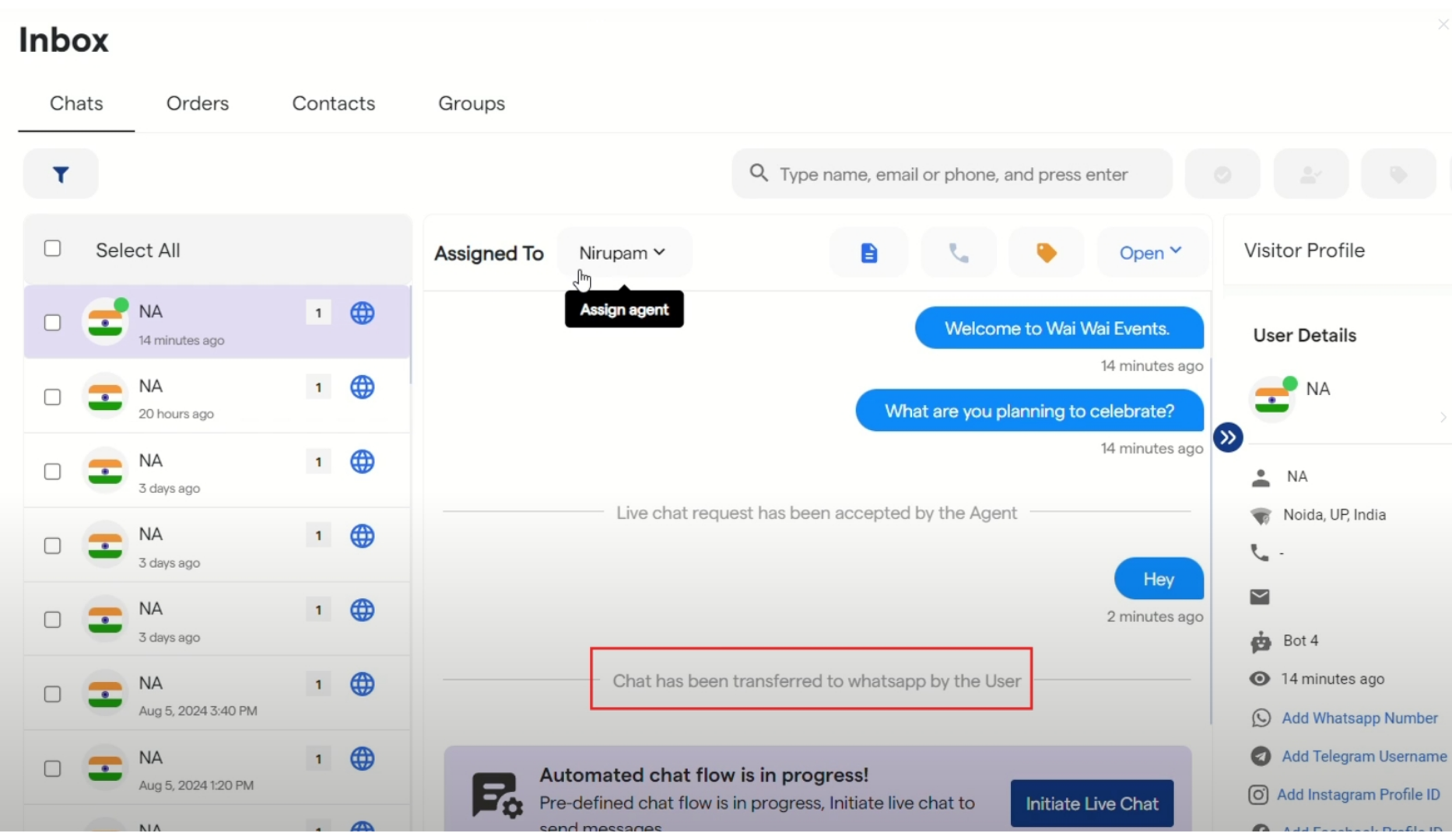
 6. In the Inbox, a message will be shown indicating that chat has been transferred to whatsapp by the user.
 Done! You have completed setting up Transfer Chat to WhatsApp Functionality.